
What AI does for your streams
AI toolsFast summary
Better titles, better descriptions, clearer streams
Castream automatically generates polished metadata and shows live transcriptions while you speak.
- 1Automatic titles + descriptions for your scheduled and live streams.
- 2Two AI modes: Custom Prompt + Castream Suggestions.
- 3Always returns 5 title options and 5 description options.
- 4Live transcriptions rendered during your broadcast.
- 5Transcript storage coming soon.
Walk through the AI workspace
Everything happens inside one mobile view. Swipe through the screens to see each step of the workflow.
- Modes screen: Pick between Castream Suggestions and full Custom Prompts.
- Custom Prompt view: Write anything you want, hit generate, and get 5 titles plus 5 polished descriptions.
- Suggestion results: Scroll through the AI output, copy the best one, or re-roll instantly.
Use the arrows to tap through each screenshot or let it autoplay.
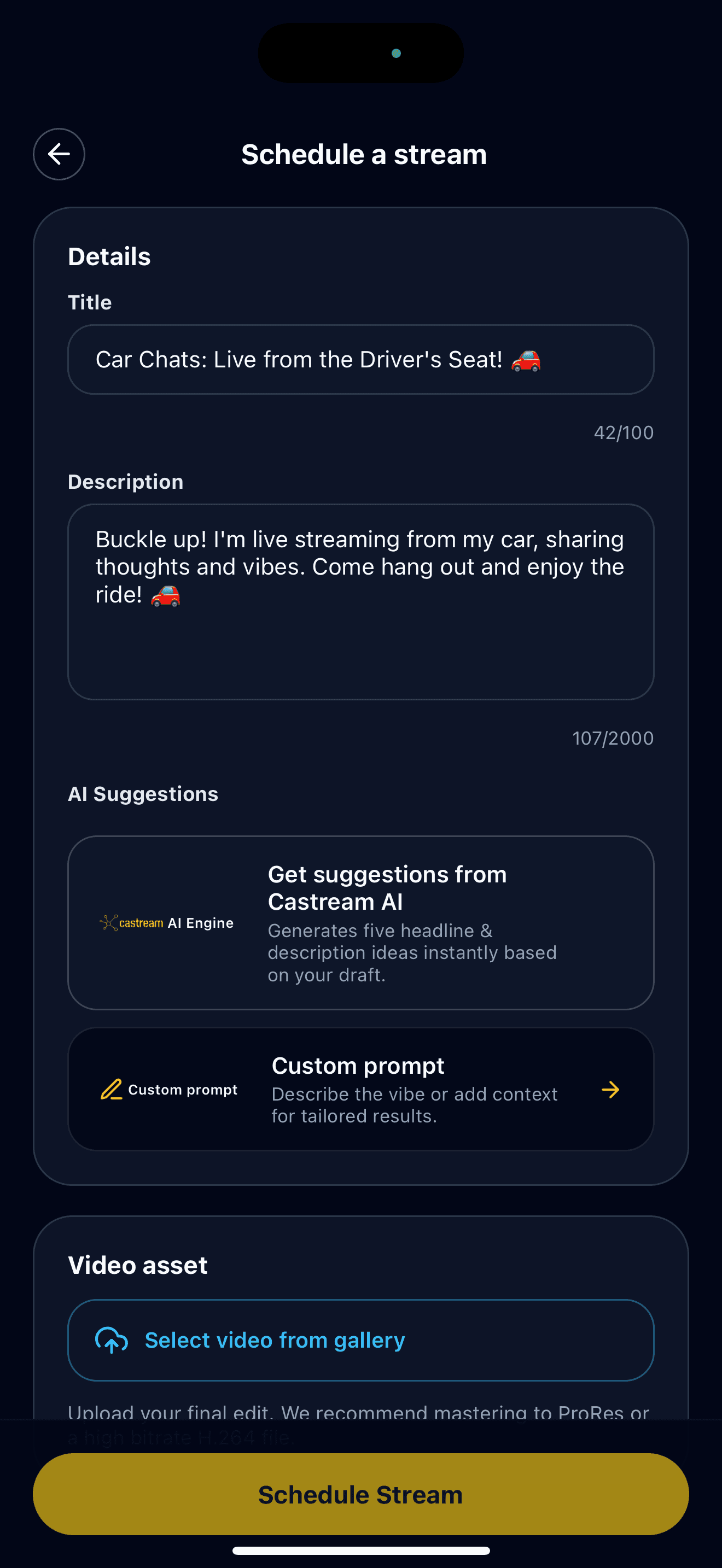
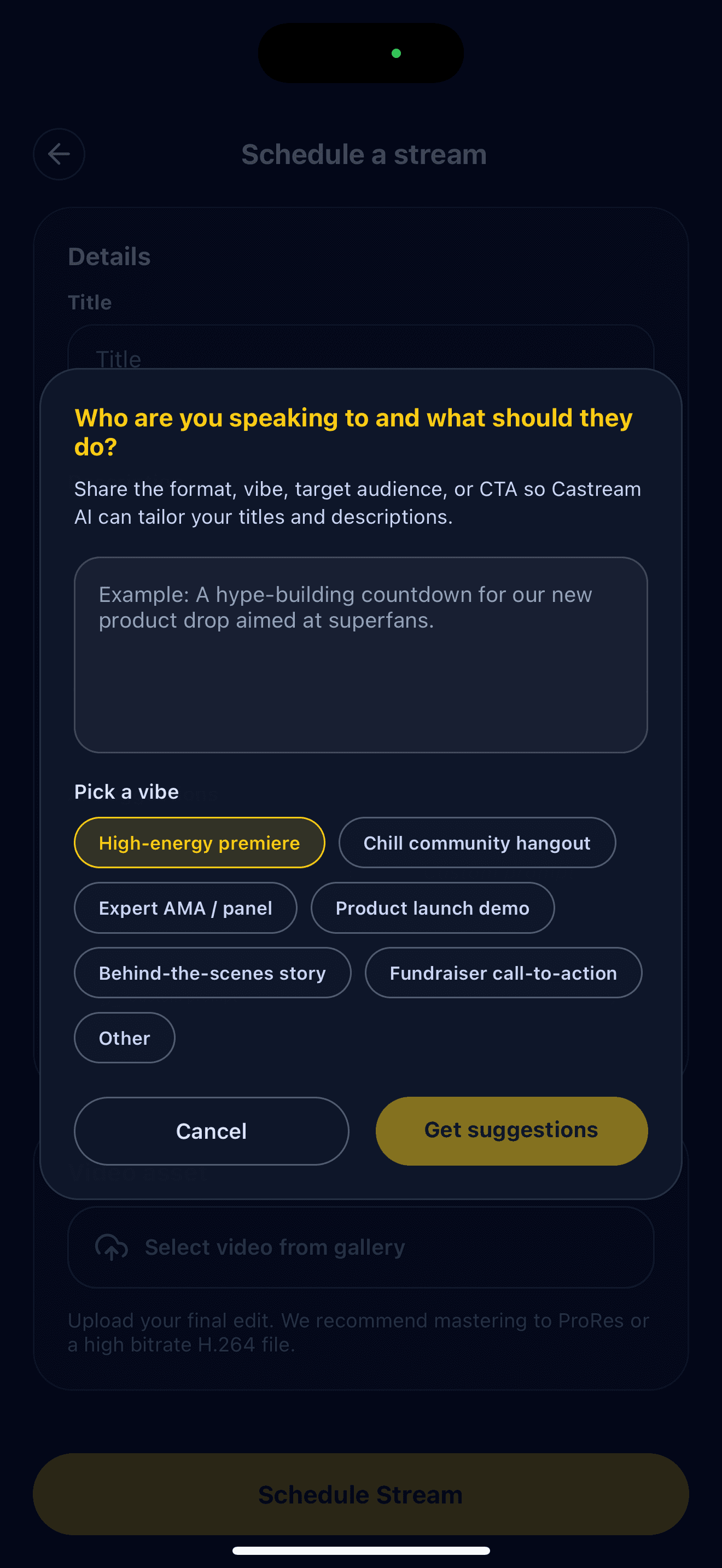
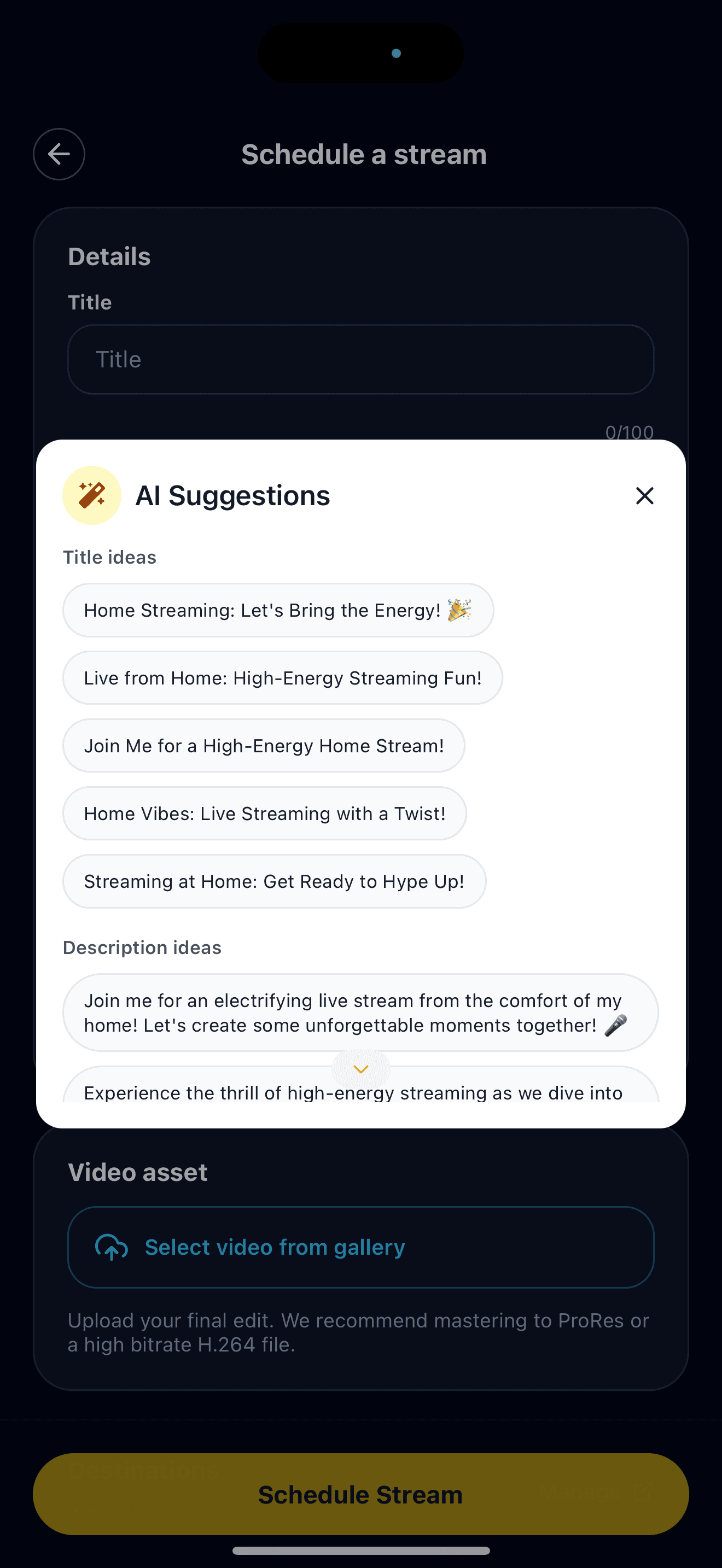
Custom Prompts, Castream Suggestions, and the live preview inside the app.
AI modes for creators
Custom Prompt mode
- Write your request in natural language—just like any AI.
- Perfect for specific styles, moods, or detailed instructions.
- Generates 5 title suggestions and 5 description suggestions every time.
- Ideal for creators who want full control over tone and style.
Example prompts
- “Write a hype gaming title for a boss fight stream.”
- “Give me a calm, educational description for a coding tutorial.”
- “Suggest 5 title variations that fit a travel vlog style.”
Castream AI Suggestions
- Paste your rough draft—AI cleans it up instantly.
- Fixes grammar, adds clarity, and keeps your tone intact.
- Outputs 5 polished title options and 5 refined descriptions.
- Optimized for discoverability on YouTube, Twitch, and Facebook.
Example use cases
- Short, messy working titles → standardized, clean versions.
- Long run-on descriptions → concise, structured options.
- Improved SEO keywords without forcing a different tone.
Live transcriptions
- Viewer-friendly captions rendered in real time.
- Great for muted mobile viewers and accessibility.
- Works from mobile or desktop setups.
- Replay transcripts stored in Vault — coming soon.
Why metadata matters
| Problem | AI solution |
|---|---|
| Titles take too long to write | AI gives you 5 ready-to-use alternatives instantly |
| Descriptions get repetitive | AI provides 5 fresh, platform-friendly versions |
| Multi-platform posting is inconsistent | Metadata is unified across destinations |
| Viewers join late without context | Live transcriptions help them catch up quickly |
Need help?
Tell us your workflow and we’ll help you get the most out of the AI tools.
support@castream.io